Pulse tests the line. LagScope watches the game.
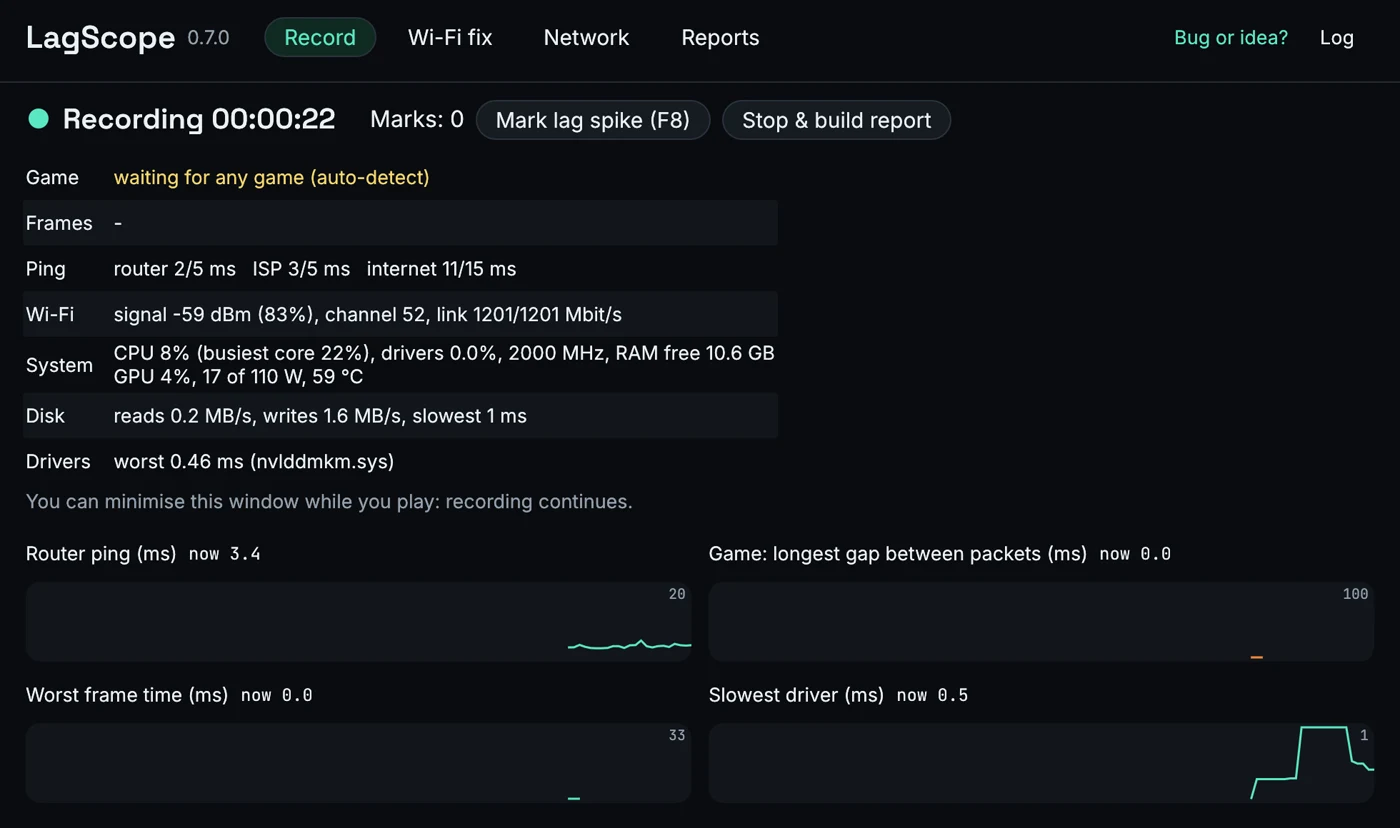
The free LagScope app records while you play and tells you where the lag came from: your Wi-Fi, your provider, the internet, the game server, or your PC. Things a browser cannot see.
One exe, no installer. Checksums are published with every release.
Where each one looks
Lag can start anywhere between your PC and the game server. Pulse tests the whole line from any device; the app watches each link on the way while you play.
- Your PC Partly Pulse Only whether the device paused Yes LagScope app Frames, CPU, GPU, drivers, disk
- Wi-Fi Partly Pulse With a phone: this device or the home network? Yes LagScope app Signal, channel, roaming, a guided fix
- Router Partly Pulse With a phone, as above Yes LagScope app Pinged the whole time
- Provider Partly Pulse As part of the whole line Yes LagScope app Its first routers, pinged the whole time
- Internet Yes Pulse A game-like stream, each direction Yes LagScope app Pings and the busy-connection test
- Game server No Pulse Our test server stands in for it Yes LagScope app The game’s own traffic
Side by side
| Feature | Pulse | LagScope app |
|---|---|---|
| Testing | ||
| No install, works on phones | Yes | No Windows |
| Runs while you play | No A test of a few minutes | Yes |
| Freezes in each direction, freezes on a timer | Yes | Yes On the game itself |
| Ping under load (bufferbloat) | Yes | Yes |
| Speed | Yes | Yes |
| Good for gaming, video calls, streaming | Yes | Yes |
| Finding the cause | ||
| Wi-Fi, home network or provider? | Partly With a phone | Yes |
| Wi-Fi details and a guided fix | No | Yes |
| Your PC: frames, drivers, CPU, GPU | Partly Device pauses only | Yes |
| Mark the moment it lagged | No | Yes F8 |
| Results | ||
| History and before / after | Yes In this browser | Yes |
| Share | Yes A link, nothing stored | Yes A zip or a summary |
Use Pulse for a quick check of the line from any device; use the app to find the cause while you play.
What it sees that a browser cannot
Your game’s own traffic
Records when the game’s packets arrive while you play, so a freeze is measured on the real game, not a stand-in. The report lists every pause: when, which way, how long, and the likely cause.
Router and provider pings
Pings your router and your provider’s first routers the whole time, so it can tell Wi-Fi from the line from the internet.
Wi-Fi, checked and fixed
Signal, channel and roaming while you play, plus a guided Wi-Fi check that switches suspect settings off one at a time and undoes each.
Your PC
Frame times, CPU and GPU limits, driver latency, disk and memory, so a stutter from the PC is not blamed on the network.
Mark the moment
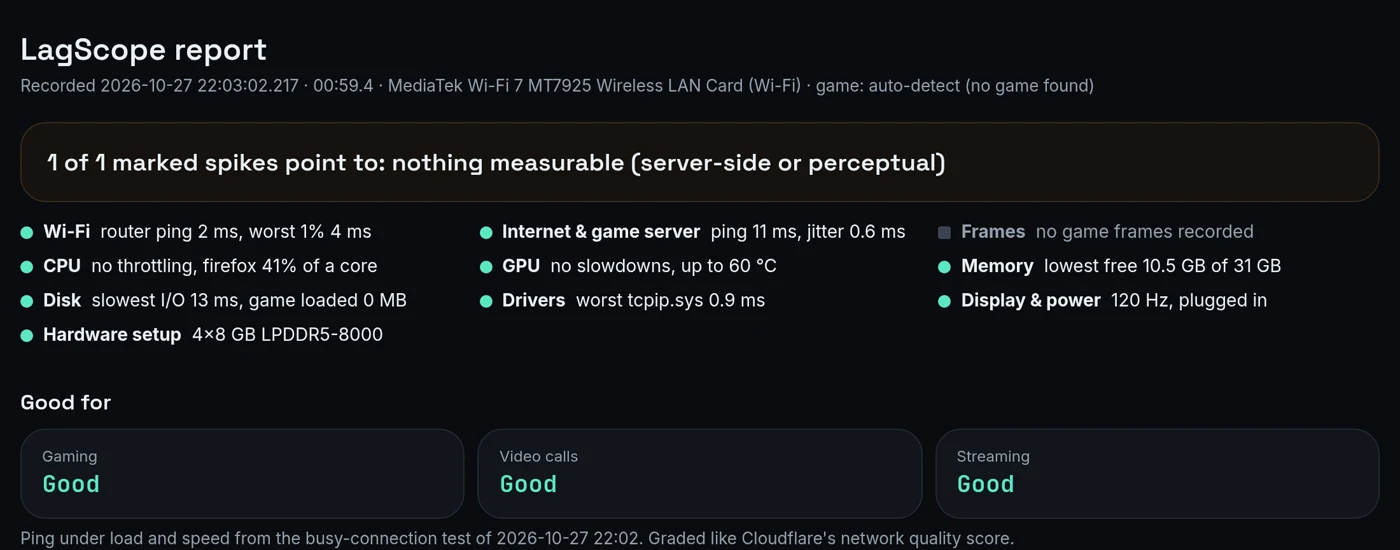
Press F8 when it lags; the report says where each marked spike came from.
Same grades as Pulse
Good for gaming, video calls and streaming, graded the same way as here and on Cloudflare’s speed test, from its busy-connection test.
Why you can trust it
Open source
MIT licence. Every line is on GitHub: read it, build it yourself, or ask someone you trust to.
Nothing leaves your PC
No account, no telemetry, no update check, no uploads. A recording leaves your PC only if you send its zip to someone.
Careful with what it keeps
Wi-Fi names, MAC addresses, the PC name and your user name are removed from everything it saves. Packet contents and keystrokes are never recorded.
Changes nothing on its own
Recording only watches. The Wi-Fi fix changes a setting only after you say yes, puts it back after the test, and keeps a journal so an interrupted test is undone.
Two things Windows will ask, and why: the app needs administrator rights to read network and driver timing from Windows’ own tracing, and Windows may say it “protected your PC” because the exe is not code-signed (More info → Run anyway). What a recording contains is listed in the app’s privacy notes.